Project note
The Lorenz Attractor
The Lorenz system is a classic example of chaos in dynamical systems. It’s known for its butterfly-shaped attractor and is defined by the following set of ordinary differential equations:
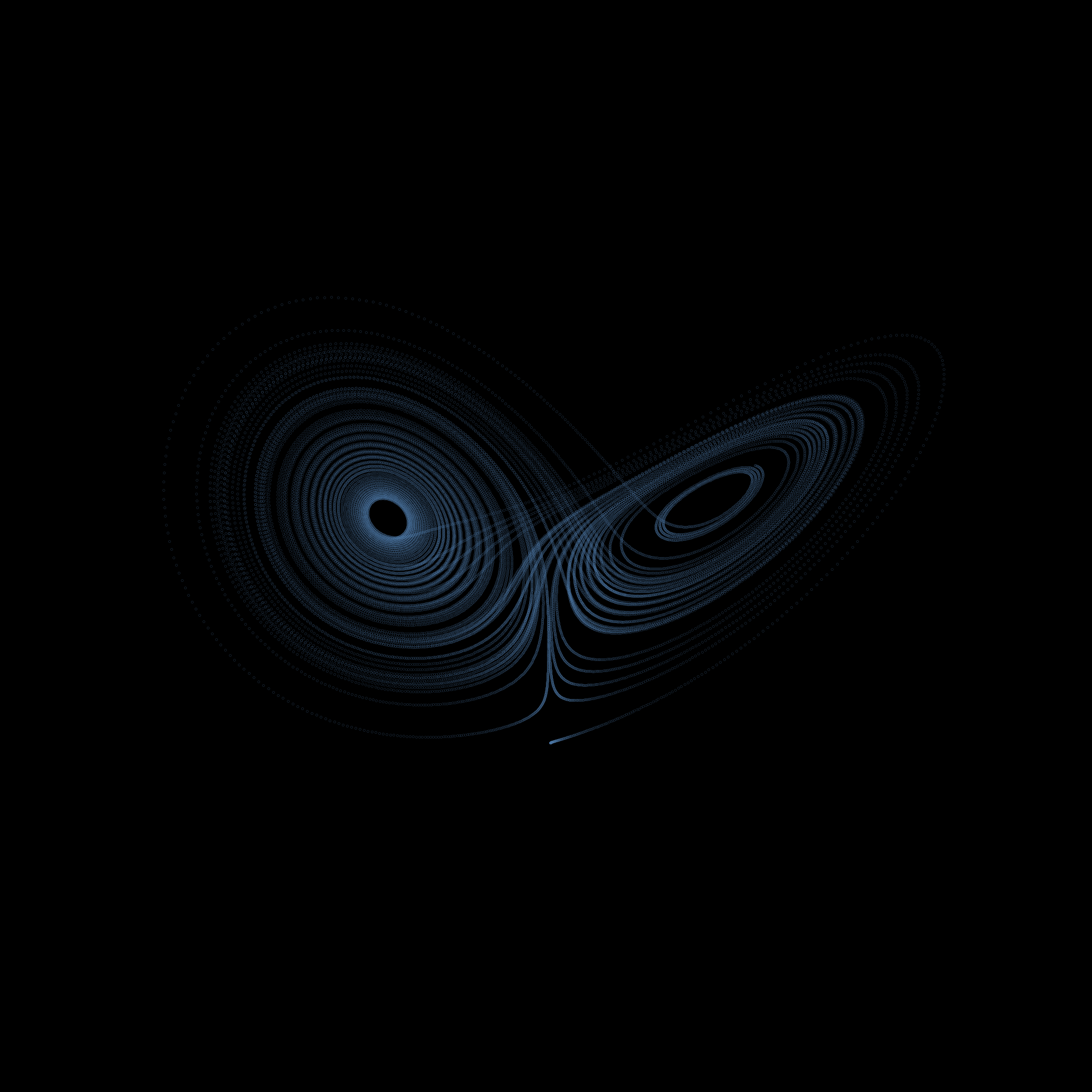
Because of its striking visual when plotted it’ll serve as a good example to
show how animplotlib can be used for creating a more complex animation. A
standout property of chaotic systems is that they’re very sensitive to changes
in their input parameters. We can visualise this by plotting the Lorenz
attractor with various initial conditions on the same axes.
First we import the necessary libraries and then create a list of initial conditions we’ll be solving over. We do this by adding a tiny to an initial condition. We can also create two functions: one for defining the Lorenz system and one for solving it.
import matplotlib.pyplot as pltfrom scipy.integrate import odeintimport numpy as npimport animplotlib as anim
t = np.linspace(0.01, 50, 5000)# Distinct colours for each trajectorycolours = [    "#4E79A7",    "#F28E2B",    "#46ACB8",    "#E15759",    "#4E79A7",    "#F28E2B",    "#4E79A7",    "#F28E2B",    "#46ACB8",    "#E15759",    "#4E79A7",    "#F28E2B",    "#4E79A7",    "#4E79A7",    "#F28E2B",    "#F28E2B",]# List of initial conditionsepsilon = 1e-5x0 = [(10.0, 10.0, 10.0 + n * epsilon) for n in range(len(colours))]

# Defining the Lorenz systemdef lorenz(x_var, t, sigma, rho, beta):    x, y, z = x_var    dx_dt = sigma * (y - x)    dy_dt = x * (rho - z) - y    dz_dt = x * y - beta * z    return [dx_dt, dy_dt, dz_dt]
# Solving the systemdef solve_lorenz(x0, t, sigma, rho, beta):    return odeint(lorenz, x0, t, args=(sigma, rho, beta))
Next we create a figure and axes, and empty lists for the lines, points
and data points to be passed to animplotlib:
fig = plt.figure(figsize=(8, 8))ax = fig.add_subplot(111, projection='3d')ax.set_axis_off()
# Lists to hold lines, points, and data for each trajectorylines = []points = []xs, ys, zs = [], [], []
Here, we iterate over the initial conditions we defined earlier and call the
solve_lorenz function to solve for each set of initial conditions. We also
apply a different colour to each solution to more easily differentiate between
them. Then, we create a line and point for each solution and append it
to the corresponding list to be passed to AnimPlot3D.
# Solve for each set of initial conditions and create a line and point for eachfor init_cond, colour in zip(x0, colours):    x_solve = solve_lorenz(init_cond, t, sigma=10, rho=28, beta=8/3)    x, y, z = x_solve.T    xs.append(x)    ys.append(y)    zs.append(z)    line, = ax.plot([], [], [], lw=2, color=colour)    point, = ax.plot([], [], [], 'o', color=colour, markersize=10)    lines.append(line)    points.append(point)
ax.set_xlim(np.min(xs), np.max(xs))ax.set_ylim(np.min(ys), np.max(ys))ax.set_zlim(np.min(zs), np.max(zs))
# Call the AnimPlot3D classanim.AnimPlot3D(fig, [ax] * len(lines), lines, points, xs, ys, zs, plot_speed=1,           rotation_speed=0.25, l_num=100, p_num=1)
Note that when passing the axes to
AnimPlot3Dwe multiply the list bylen(lines). This is becauseAnimPlot3Dexpects a list of axes, one for each line/trajectory we want to animate. Passing just[ax](a single axis) would result in only the first line/trajectory being animated. By passing[ax] * len(lines), we create a list with the same axis repeated for each line, allowing all lines to be animated.

Notice how initially it looks as though there is only one solution being plotted with all the solutions overlapping. As the time steps progress the solutions begin to spread. Remember the initial conditions for each solution only differ by , and even then each solution begins to take its own unique trajectory.