Table of Contents
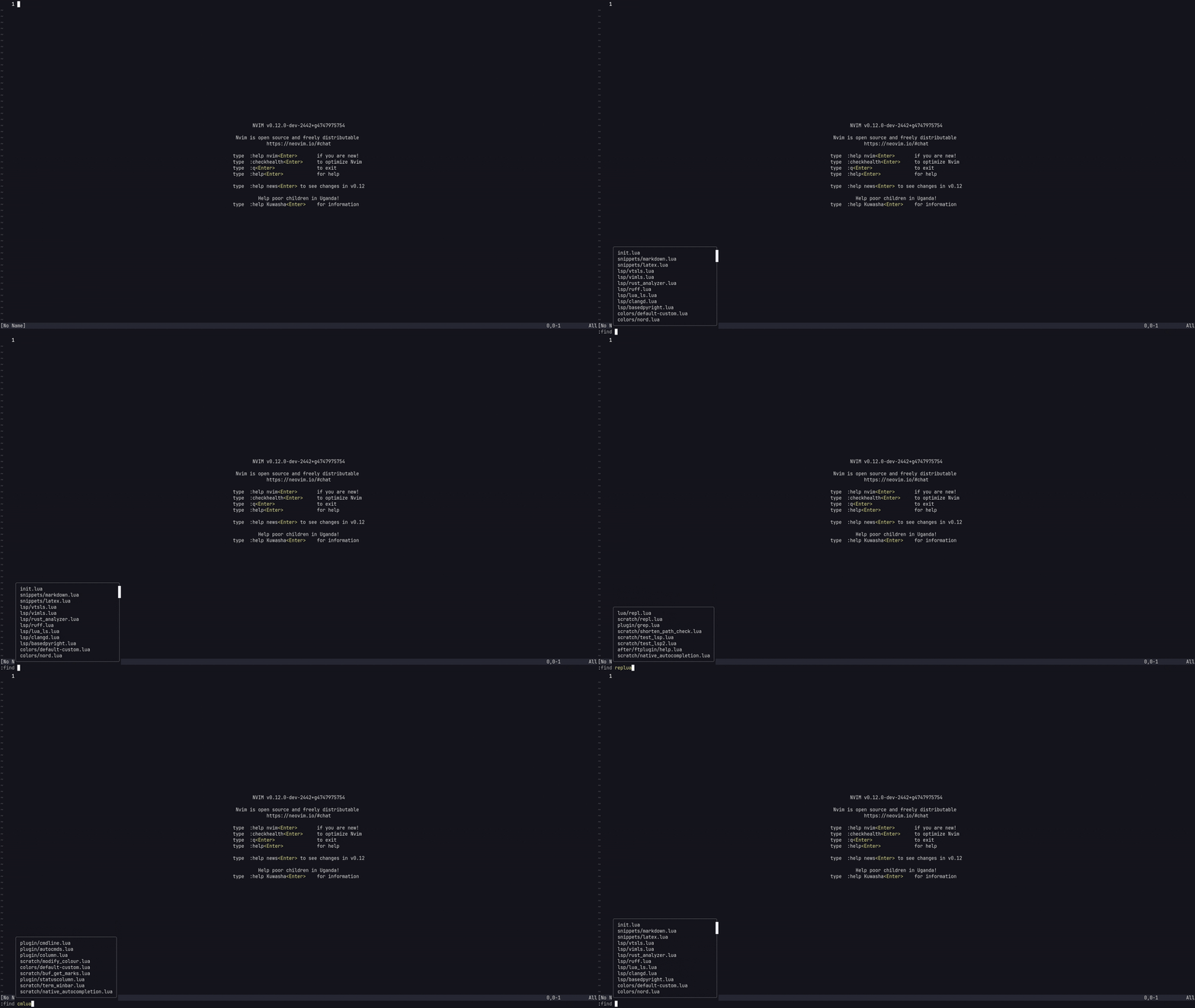
Here, we’ll be looking at implementing command-line autocompletion and a minimal
fuzzy finder natively in Neovim by using rg, and integrating with the builtin
:find and 'findfunc'.
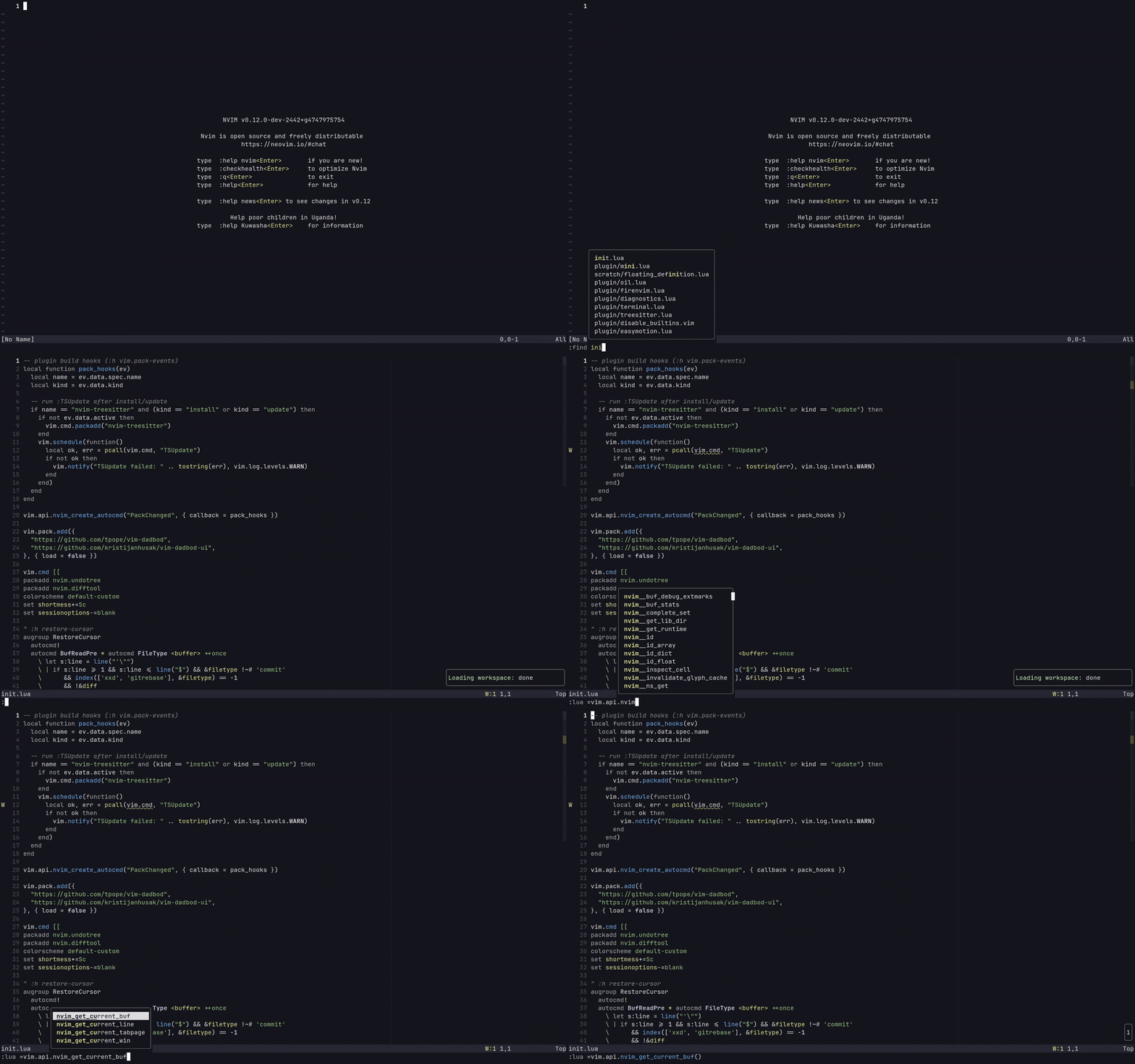
For those who want to final result without the walkthrough and explanation:
vim.opt.wildmode = "noselect:lastused,full"vim.opt.wildoptions = "pum,fuzzy,tagfile"
vim.api.nvim_create_autocmd("CmdlineChanged", {  callback = function()    local t = vim.fn.getcmdtype()    if t == ":" or t == "/" or t == "?" then      vim.fn.wildtrigger()    end  end,})
local filescache = {}local cache_cwd = nil
local function get_files()  local cwd = vim.uv.cwd()
  if cache_cwd == cwd and not vim.tbl_isempty(filescache) then    return filescache  end
  local result = vim.system({    "rg",    "--files",    "--hidden",    "--glob",    "!.git",    "--no-config",  }, {    text = true,    cwd = cwd,  }):wait()
  if result.code ~= 0 then    filescache = {}    cache_cwd = cwd    return filescache  end
  filescache = vim.split(result.stdout, "\n", { trimempty = true })  cache_cwd = cwd  return filescacheend
_G._cmdline_fuzzy_find = function(arg)  local files = get_files()  return arg == "" and files or vim.fn.matchfuzzy(files, arg)end
vim.opt.findfunc = "v:lua._cmdline_fuzzy_find"
vim.api.nvim_create_autocmd("CmdlineEnter", {  callback = function()    if vim.fn.getcmdtype() == ":" then      filescache = {}      cache_cwd = nil    end  end,})
vim.keymap.set("n", "<leader>f", ":find <C-z>")
Command-line autocompletion
We start by configuring wildchar expansion behaviour to control how
command-line completion works:
vim.opt.wildmode = "noselect:lastused,full"vim.opt.wildoptions = "pum,fuzzy,tagfile"This shows the results in a popup menu while allowing fuzzy searching over the
results (see :h wildmode and :h wildoptions for more detail on these
options).
By default command-line completion can be manually triggered with <Tab>.
However, creating an autocommand will trigger it automatically:
vim.api.nvim_create_autocmd("CmdlineChanged", { callback = function() local t = vim.fn.getcmdtype() if t == ":" or t == "/" or t == "?" then vim.fn.wildtrigger() end end,})This triggers wildcard expansion based on the options set above for wildmode
and wildoptions on every change in the command-line. Checking and restricting
this to :, /, ? command-line types ensures that completion doesn’t trigger
in inappropriate contexts.
Just this alone gives a way better command-line completion experience similar to
that provided by many completion plugins. This can be taken further using
:find and configuring the findfuc to provide fuzzy file finding.
Fuzzy file finding
By replacing the way Neovim resolves files for the :find command we can
implement a really simple fuzzy file picker. Normally, :find goes through the
directories in the path option and performs simple pattern matching. We can
override the internal file searching mechanism by providing a custom findunc
function to get the filenames for the :find command.
To build the list of files in the current directory we can use ripgrep. Another
potential option would be to use Neovim’s builtin globpath function to
recursively search through the subdirectories of the current directory:
globpath(".", "**", 1, 1)However, globpath uses single-threaded readdir() calls so using it to
recursively traverse through large directory structures isn’t its ideal use
case. We can instead use ripgrep which uses parallel traversal, is
multi-threaded by default, and was designed for this kind of use case where we
need to search over a lot of files while streaming in real time results.
We need to keep track of the current working directory to make sure that the cache resets if the directory root changes,
local function get_files() local cwd = vim.uv.cwd()ripgrep gets run through vim.system():
local result = vim.system({ "rg", "--files", "--hidden", "--glob", "!.git", "--no-config",}, { text = true, cwd = cwd,}):wait()The --files flag is used to only list files, --hidden includes hidden files
and directories, --glob !.git ignores the .git directory and --no-config
makes sure configuration files aren’t read. text=true handles the output as
text and current directory is set to the cwd defined earlier.
ripgrep returns a newline separated string of file paths, which are split into
a table:
filescache = vim.split(result.stdout, "\n", { trimempty = true })This gives something that might look like:
{ "src/main.rs", "src/lib.rs", "README.md", ...}The results get cached so that the directory tree isn’t being scanned on every completion:
local filescache = {}local cache_cwd = nilWithout this, every change to :find would trigger a full filesystem scan.
Instead the the cached file list and the working directory it belongs to get
cached. If the completion runs again in the same directory and the cache is
already populated, get_files() returns the existing table straight away.
Before running ripgrep we check:
if cache_cwd == cwd and not vim.tbl_isempty(filescache) then return filescacheendDoing this ensures that ripgrep only runs once per directory and that
subsequent completions are instant.
_G._cmdline_fuzzy_find = function(arg)  local files = get_files()  return arg == "" and files or vim.fn.matchfuzzy(files, arg)end
vim.opt.findfunc = "v:lua._cmdline_fuzzy_find"
The above function returns the cached files list if there’s no text being
searched for or fuzzy match the search from the list. To make sure that a new
files list is created every time we run :file, we clear the cache when
entering cmdline-mode:
vim.api.nvim_create_autocmd("CmdlineEnter", { callback = function() if vim.fn.getcmdtype() == ":" then filescache = {} cache_cwd = nil end end,})Creating a keymap to run the command:
vim.keymap.set("n", "<leader>f", ":find <C-z>")